
Marketing & follow-up
A contractor’s guide to HighLevel
GoHighLevel for contractors: is it right for your office?
GoHighLevel puts marketing and lead follow-up in one place. Give it a clear job in the office, price the setup and keep every inquiry moving toward a person who can book the work.
We may earn a commission if you buy through our links — it doesn’t change our picks. How we make money →
Plan and feature details from HighLevel pricing and help pages, checked October 18, 2026.

A better follow-up process starts before the job is booked.
Inquiry arrivesA call, a form, a new conversation
Follow-up has an ownerA clear next action for the office
Your team takes overConfirm the fit. Arrange the work.
Your workflow, at a glance.
Our verdict
A useful platform.
Give it a specific job.
Choose HighLevel when leads arrive in several places and follow-up has no clear owner. Give it one job first: keep the inquiry moving until your team takes over.
An office or agency partner that will build, monitor, and maintain its follow-up process.
A business that only needs dispatch, or wants automation without anyone responsible for the setup.
Start with the work
Follow one lead through the office.
Pick one of these illustrative lead journeys and configure it during the trial. Follow the record through each office handoff.
Keep an unanswered call from becoming a dead end.
A call goes unanswered
The caller reaches your business while the office is busy.
Send an acknowledgment
Configure a text response and review repeat-call behavior.
Give the callback an owner
Have your team confirm the need and arrange the next step.
Try thiscall twice, reply once, and confirm the office knows who should respond.
Make the next action visible to your office.
An estimate request arrives
Capture the service needed and contact details in a form.
Put it in a pipeline
Create an opportunity in the appropriate stage.
Confirm the handoff
Match the service area and available slot, then schedule.
Try thissubmit the same test lead twice and inspect the contact and opportunity records.
Give an open estimate a deliberate next step.
An estimate is still open
Your team records the status and agrees when to follow up.
Follow up with context
Configure the appropriate task or message for that stage.
Stop when the status changes
Review the rules when the customer accepts, declines, or replies.
Try thischange the status before the next step and verify that the old follow-up stops.
One place to review leads
Contacts and pipeline stages can give your office a shared picture of work still to win. Agree what each stage means before importing everything.
Repeatable follow-up
Workflow actions can create opportunities and organize next steps. Begin with one repeatable process that currently relies on someone remembering.
Room to consolidate
Forms, calendars, conversations, and marketing tools sit in the same platform. Count a tool as replaced only after your real workflow passes a test.
Inside the platform
What matters between the inquiry and the appointment.
The interface is only part of the decision. Use these three areas to test whether the platform fits the way your office works.
A pipeline the office can actually use
HighLevel’s opportunities view organizes potential sales by stage. For a contractor, useful stages might be “New inquiry,” “Needs a callback,” and “Estimate arranged.” Keep those labels tied to actions your staff recognize.
What to demonstrate Ask someone who did not build the pipeline to identify the next action for three sample leads.
Product documentation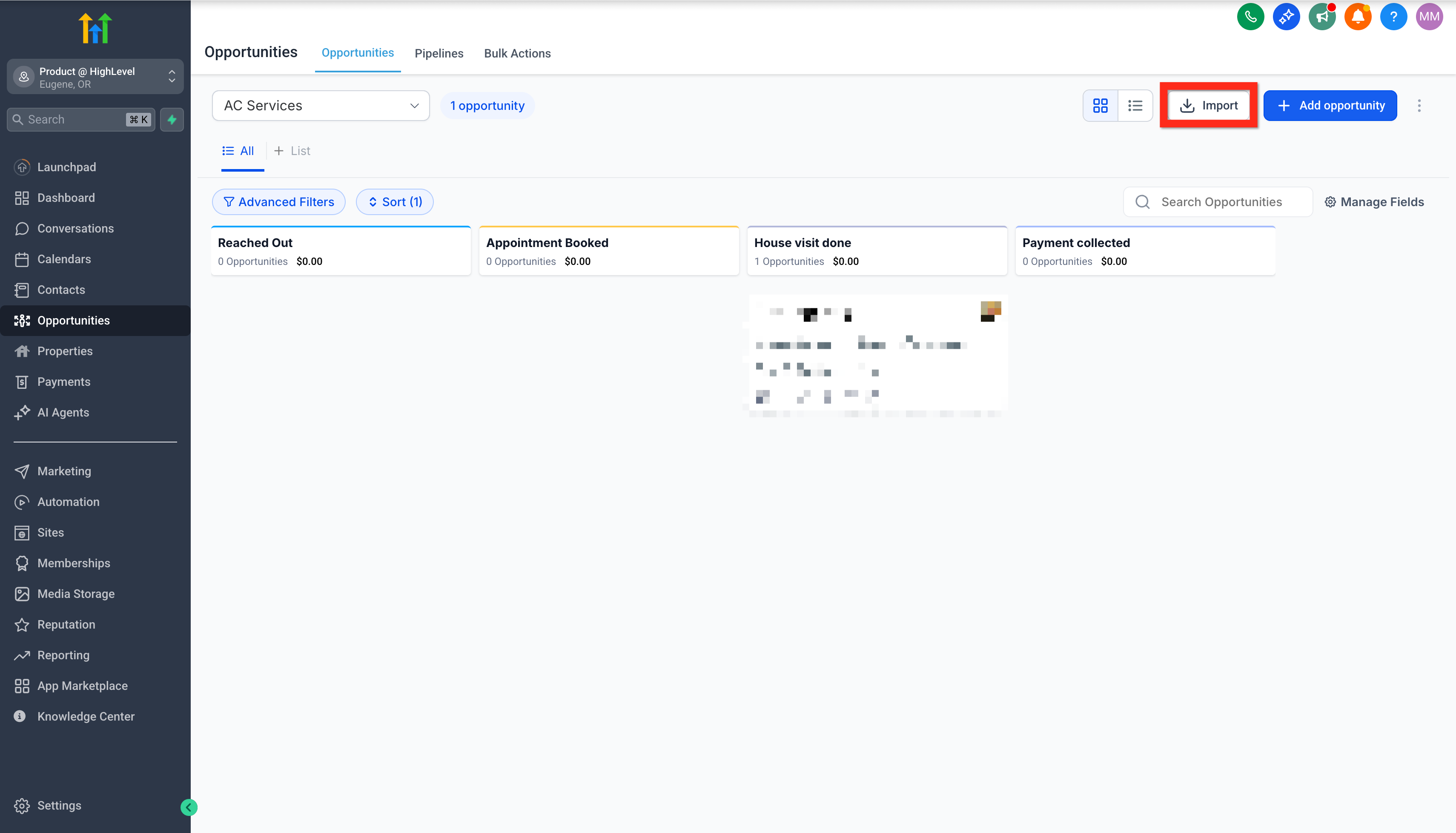
A response when nobody picks up
Missed Call Text Back can acknowledge an unanswered call by SMS. The documentation warns that repeated missed calls can trigger repeated messages. Test the actual number, message, and repeat-call behavior before enabling it broadly.
What to demonstrate Include an after-hours call and a caller who tries again immediately. A sent text is not confirmation that a technician is booked.
Product documentationAutomation with a clear finish line
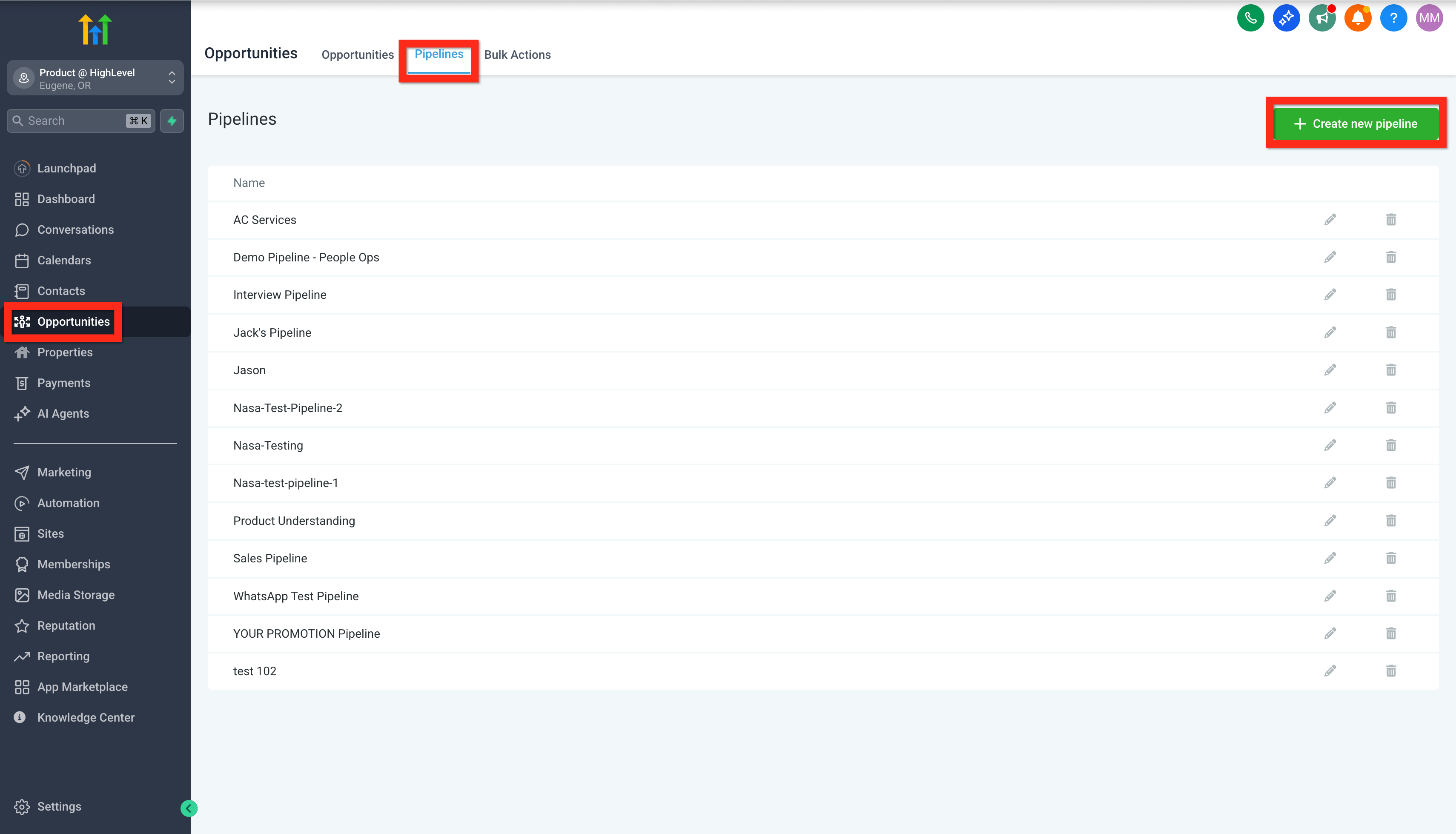
Workflow actions can create an opportunity in a chosen pipeline and stage. Your design still needs to define when follow-up ends, who handles a reply, and what happens when a required field is missing.
What to demonstrate Change the test lead’s status mid-flow. Inspect the records and remaining actions instead of assuming the automation stopped.
Product documentationPlans & real costs
Start with the subscription.
Budget for the whole setup.
Published monthly USD prices, checked October 18, 2026. The official offer includes a 14-day trial; choose the tier and billing terms for your setup.
Starter
$97/ month
3 sub-accounts
Start here for one contracting business; match its features to the workflow you need.
Check StarterUnlimited
$297/ month
Unlimited sub-accounts; basic API access
Consider when managing multiple accounts or when your integration requirements justify it.
Check UnlimitedAgency Pro
$497/ month
SaaS mode; advanced API access
Built around reselling software. More features do not automatically make it the right contractor plan.
See SaaS Pro trialSubscription prices are not all-in quotes. Trial billing starts automatically unless canceled; usage fees may apply during the trial. Official pricing and terms.
Three lines to put in your budget
Which tier supports the exact workflow and integrations you need?
Price the phone numbers, calls, texts, email, AI, and add-ons you will enable.
Who builds it, who fixes it, and what does that work cost each month?
The trade-offs
Where it can help.
What still belongs to you.
Potential strengths
A shared view of the next action
A consistent pipeline can make outstanding inquiries easier to discuss at the start of the day.
Less manual coordination
A well-designed workflow can connect capture and follow-up without a separate handoff for every step.
A focused first rollout
You can evaluate one lead journey while preserving the office’s current process.
Practical limitations
Setup is part of the purchase
Templates still need your hours, service area, routing rules, message wording, and an owner.
Marketing is not the entire job
A calendar entry or pipeline stage does not prove that dispatch, job costing, or your accounting handoff works.
Account access needs an exit plan
If an agency owns the setup, agree who controls contacts, numbers, exports, billing, and support before signing.
Compare your options
Start with the problem you need to solve.
Choose the buying path that fixes the gap: marketing, field-service work or call answering.
Your main problem is lead follow-up
Evaluate HighLevel
Demonstrate capture, ownership, response, and a clean handoff in one account.
See the workflowYour main problem is field operations
Compare field-service software
Start with the job lifecycle your team needs: scheduling, dispatch, estimates, and invoicing.
Jobber vs. Housecall ProYour main problem is unanswered calls
Compare answering options
A dedicated service may be a smaller change than adopting a wider marketing platform.
Compare call answeringBefore you switch
Make the trial earn your trust.
Choose one lead source
Use test contacts and define what should happen from the first inquiry to the office handoff.
Name the person responsible
That person checks replies, failed steps, duplicates, and any lead with no next action.
Exercise the awkward cases
Try a repeat inquiry, an out-of-area request, a changed appointment, and a customer who replies early.
Prove the handoff and the exit
Check the receiving system, export a test record, and document how to stop the workflow. Keep your existing process available.
Common questions
The details that change the decision.
Is GoHighLevel a good fit for a small contractor?
It can be worth evaluating when lead follow-up is a recurring operational problem and someone will maintain the setup. If your current tools already handle that well, identify a specific gap before adding another platform.
Does it replace Jobber, Housecall Pro, or my dispatch software?
Run your scheduling, field-work, estimate, invoice and accounting requirements through the demo. Keep the system running your jobs until the office can complete that handoff.
Is the subscription the whole cost?
No. HighLevel lists usage charges and optional add-ons separately. Include implementation and ongoing support in your own budget as well.
Do I need the most expensive plan?
Choose the plan that satisfies demonstrated requirements. An agency reselling software has different needs from one contractor managing incoming leads. Ask your implementer which requirement justifies each upgrade.
Where should I start during a trial?
Build one lead journey with test contacts, verify the usage charges, and set a cancellation reminder. Only move live inquiries after the office can demonstrate the workflow and recover from a failure.
Sources & methodology
What this review is based on.
Give the platform one lead workflow to own
Choose the inquiry that keeps slipping through the office: a missed call, an unanswered estimate request or a follow-up nobody owns. Use our integration worksheet to map the handoff, and read our editorial policy for how we pick products.
Choosing between marketing workflows and the service office? Use our HighLevel vs Housecall Pro comparison.
Put the office handoff through its paces
Use the receptionist business brief to name the service area, booking outcome and escalation owner. For a solo owner already paying for field software, HighLevel for a one-truck contractor compares the native tools with adding another CRM. Our HighLevel missed-call text-back setup guide handles the acknowledgment step; give the callback and booking an owner too.
Give the person taking the handoff a useful call kit: compare headsets for van, field and office calls.
Run a test contact through a repeat inquiry and changed status. Have the office show who responds, who gets an unanswered request and which system holds the final appointment.
Buying through an agency? Put setup, recurring support, access to your records and the exit process in the written offer. Buy a process your team can keep running.
Keep the existing office process available during the trial. Give replies, failed steps, duplicate contacts and leads with no next action a named owner. Walk through a changed appointment and show how the office stops an unwanted follow-up.